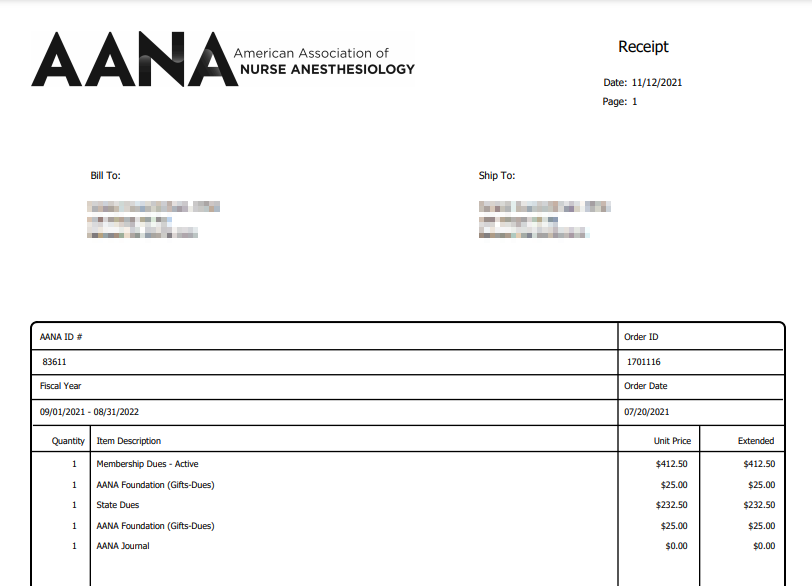
Go to the My Orders page in your account and click on receipt.
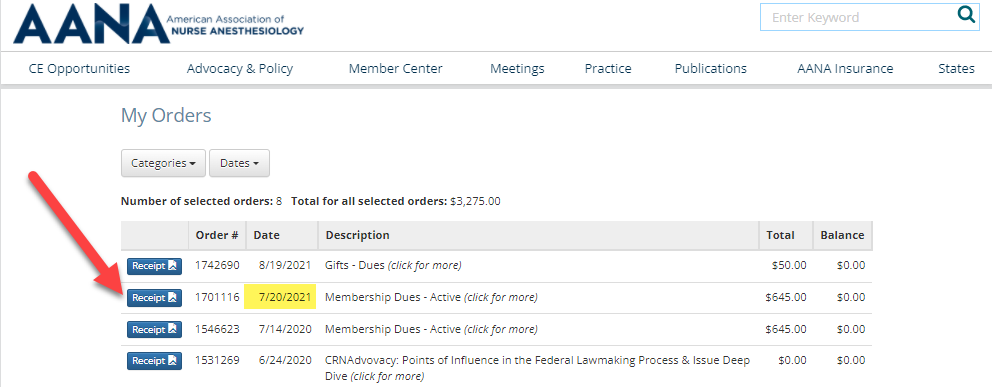
You can access your AANA membership receipt here. You’ll be prompted to log in with your User ID and password and be taken directly to the My Orders page where you can click on the Receipt button for each of your orders:
Note: The date that's highlighted below is the date your membership order was created—it's not when the membership order was paid.
When you click on the Receipt button for your particular order, it will open as a PDF in the a new tab in your browser and you'll have the opportunity to save it to your computer.